Search Settings
Filter Your Search
  •    
  •    
  •    
  •    
  •    
  •    
  •    
  •    
  •    
  •    

Search From Location


भाषाLanguage
Store Agent on IshiKart
स्वतंत्र · आजीवन कमीशन Independent · Lifetime commission

स्थानीय व्यापार को डिजिटल बनाएँ — आजीवन आय बनाएँ Digitise local businesses — build lifetime income

IshiKart के Store Agent के रूप में स्थानीय दुकानों को प्लेटफ़ॉर्म पर ऑनबोर्ड करें और निरंतर सहायता दें। जिन स्टोर को आप ऑनबोर्ड करते हैं और सपोर्ट करते हैं, उनसे IshiKart की प्लेटफ़ॉर्म आय का आजीवन 20% कमीशन प्राप्त करें। Join IshiKart as a Store Agent. Onboard local shops and provide ongoing support. Earn a lifetime 20% commission on IshiKart’s platform earnings from the stores you onboard and continue to support.

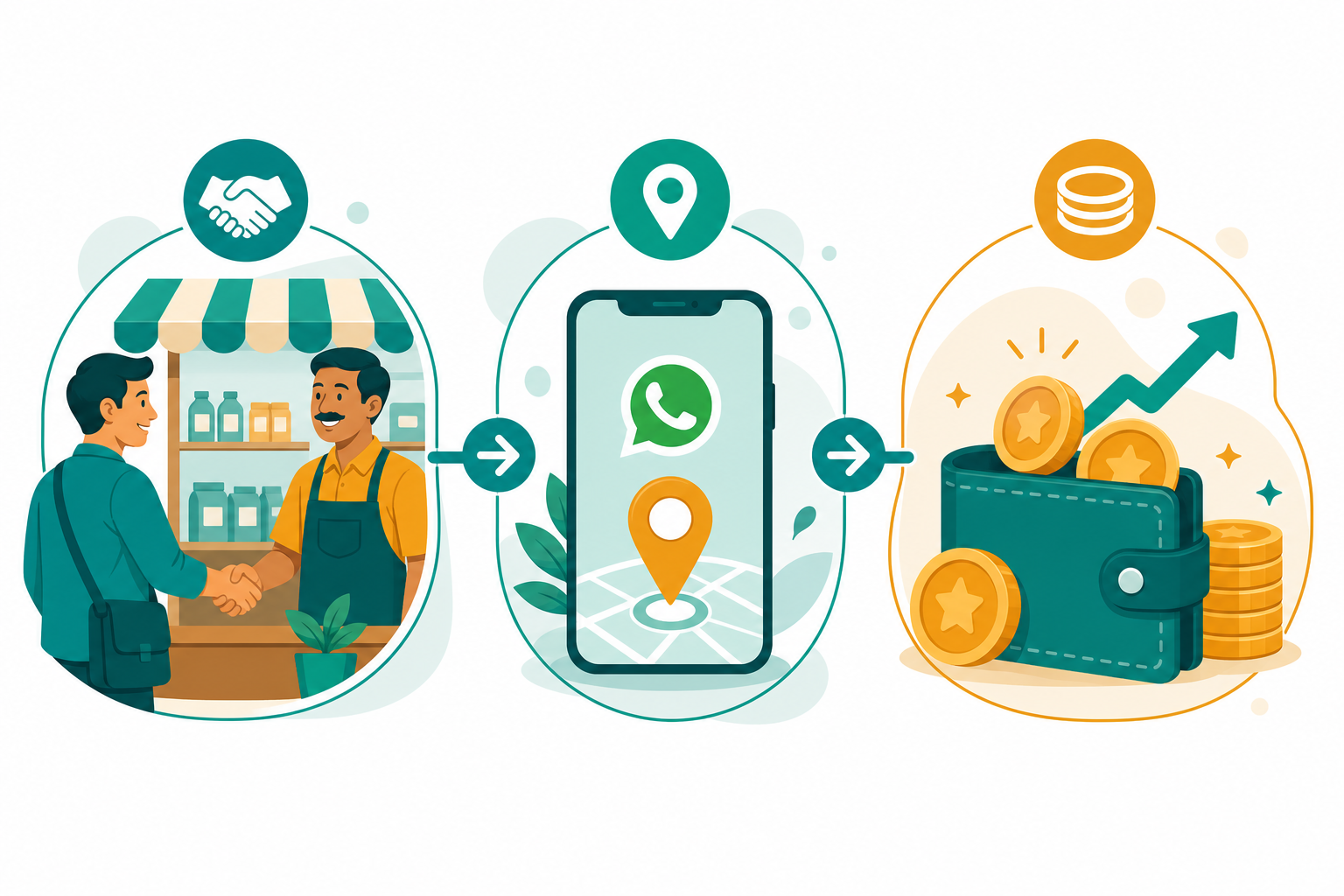
आजीवन 20% कमीशन कैसे मिलता है? How lifetime 20% commission works

यह वेतन नहीं है — आपके द्वारा ऑनबोर्ड और सपोर्ट किए गए स्टोर से IshiKart की प्लेटफ़ॉर्म आय का स्थायी हिस्सा है। This is not a salary — it is a lasting share of IshiKart’s platform earnings from stores you onboard and support.

1

स्टोर ऑनबोर्ड करेंOnboard a store

विक्रेता को IshiKart पर स्टोर बनाने में सहायता करें। वे आपको Store Agent के रूप में अपने WhatsApp नंबर से जोड़ें। Help a seller set up their store on IshiKart. They link you as their Store Agent using your WhatsApp number.

2

सपोर्ट दें, स्टोर बढ़ेSupport & grow the store

सेटअप, POS और ऑनलाइन बिक्री में निरंतर सहायता दें। जब स्टोर प्लेटफ़ॉर्म का उपयोग करता है, IshiKart को प्लेटफ़ॉर्म फीस प्राप्त होती है। Provide ongoing help with setup, POS and online selling. As the store uses the platform, IshiKart earns platform fees.

3

आजीवन 20% कमीशनLifetime 20% commission

आपके ऑनबोर्ड और सपोर्ट किए गए स्टोर से IshiKart की प्लेटफ़ॉर्म आय का 20% कमीशन आपके एजेंट वॉलेट में जमा होता है — जब तक आप असाइन रहकर सहायता देते रहें। You receive a lifetime 20% commission on IshiKart’s platform earnings from stores you onboarded and continue to support — credited to your agent wallet while assigned.

Earn with IshiKart
कमीशन प्लेटफ़ॉर्म आय पर Commission on platform earnings — एजेंट को IshiKart की प्लेटफ़ॉर्म आय (जैसे POS दैनिक शुल्क / ऑनलाइन प्लेटफ़ॉर्म कमीशन) का हिस्सा मिलता है, उन स्टोर से जिन्हें आप ऑनबोर्ड कर सपोर्ट करते हैं। — agents earn from IshiKart’s platform earnings (such as POS daily fee / online platform commission) on stores they onboard and support.
When you get paid

भुगतान कब होता है? When are you paid?

POS / काउंटर बिलिंग POS / counter billing
जिस दिन असाइन स्टोर POS का उपयोग करता है और IshiKart दैनिक POS प्लेटफ़ॉर्म शुल्क प्राप्त करता है, उस आय का 20% आपके एजेंट वॉलेट में जमा होता है। On days an assigned store uses POS and IshiKart collects the daily POS platform fee, 20% of that platform earning is credited to your agent wallet.
ऑनलाइन ऑर्डर Online orders
जब IshiKart असाइन स्टोर के ऑनलाइन ऑर्डर पर प्लेटफ़ॉर्म कमीशन अर्जित करता है, उस प्लेटफ़ॉर्म आय का 20% आपको मिलता है। When IshiKart earns online platform commission from an assigned store’s orders, you receive 20% of that platform earning.
स्वतंत्र कार्यशैली Independent working model
निश्चित शिफ्ट या ऑफिस बाध्यता नहीं। जितने स्टोर आप ऑनबोर्ड कर सपोर्ट करते हैं, उतनी आवर्ती आय बढ़ सकती है। भारत में कहीं से भी कार्य कर सकते हैं। No fixed shift or office requirement. The more stores you onboard and support, the greater your recurring income potential. Work from anywhere in India.

एजेंट का रोल और काम क्या है? What is the agent’s role and work?

Store Agent का मुख्य काम सरल है: अपने आस-पास की दुकानों में जाएँ, स्टोर ओनर्स को IshiKart के बारे में बताएँ, और उन्हें प्लेटफ़ॉर्म से जोड़ें। प्लेटफ़ॉर्म कैसे चलता है — यह सब आप How To पेज से सीख सकते हैं। A Store Agent’s core job is simple: visit nearby shops, explain IshiKart to store owners, and help them join the platform. Learn how everything works from the How To page.

पहले प्लेटफ़ॉर्म सीखें Learn the platform first

स्टोर बनाने, प्रोडक्ट जोड़ने, POS और ऑर्डर — ये सब How To में स्टेप-बाय-स्टेप है। जब आप खुद समझ लेंगे, तब दुकानदार को आसानी से समझा पाएँगे। Store setup, products, POS and orders are covered step-by-step on How To. Once you understand it, you can explain it clearly to shopkeepers.

How To — Store Agent गाइड How To — Store Agent guide

आस-पास की दुकानों में जाएँ Visit nearby shops

अपने इलाके / बाज़ार की दुकानों में जाकर स्टोर ओनर से मिलें। उन्हें बताएँ कि IshiKart से ऑनलाइन स्टोर + POS कैसे मिलता है, और उन्हें प्लेटफ़ॉर्म पर स्टोर बनाकर जोड़ने में मदद करें। Meet store owners in your area / local market. Explain how IshiKart gives them an online store + POS, then help them create a store and join the platform.

रोज़मर्रा का काम (संक्षेप में) Day-to-day work (in short) आवेदन खुले हैं · भारत Applications open · India
  • How To से प्लेटफ़ॉर्म सीखें — ताकि दुकानदार के सवालों के जवाब दे सकें Learn the platform from How To so you can answer shopkeepers’ questions
  • आस-पास की दुकानों में जाएँ → IshiKart के बारे में बताएँ → स्टोर ओनर को जोड़ें Visit nearby shops → explain IshiKart → connect the store owner
  • स्टोर सेटअप में मदद करें ( स्टोर बनाएँ, प्रोडक्ट, वॉलेट / प्लान ) और WhatsApp से खुद को Store Agent के रूप में लिंक करवाएँ Help with setup ( create store, products, wallet / plans ) and get linked as their Store Agent via WhatsApp
  • ऑनबोर्ड व सपोर्ट किए गए स्टोर से IshiKart प्लेटफ़ॉर्म आय पर आजीवन 20% कमीशन Lifetime 20% commission on IshiKart platform earnings from stores you onboard and support
  • KYC: पासपोर्ट फोटो + आधार नंबर + आधार फोटो + WhatsApp KYC: photo + Aadhaar number + Aadhaar photo + WhatsApp — admin verification

आवेदन हेतु कृपया पहले लॉग इन करें (या खाता बनाएँ)। Please sign in (or create an account) to apply.

और जानकारी चाहिए? Need more information?

Store Agent रोल, कमीशन या आवेदन में मदद — Facebook Messenger पर हमसे पूछें। Ask about the Store Agent role, commission, or application help on Facebook Messenger.

Contact for more info — Message us Contact for more info — Message us

IshiKart ऐप डाउनलोड करें Download the IshiKart app

तेज़ अनुभव, आसान ऑर्डर ट्रैकिंग और Store Agent टूल — Play Store से इंस्टॉल करें। Faster experience, easy order tracking, and Store Agent tools — install from Play Store.

ऐप डाउनलोड करें Download the App

Page Expire

Your session token expired. Reload the page to continue.


×

Log In

New to IshiKart ?

×
Edit History
  
×
Info

Location Services


Add Location
Image source
Phone / tablet: Gallery usually opens photos/files; Camera opens the device camera when the browser supports it.
Computer (Windows/Mac): both buttons open the same file chooser — pick a saved image, or your webcam / “Camera” if it appears in the list. Most desktop browsers ignore the camera hint and do not open a live camera app by themselves.
Crop & Upload Image


×
QR - Generator
Store cover
logo IshiKart
Online Store
Scan to view & shop our store online with IshiKart
Not a payment QR

Scan QR / Barcode
Select Address
Add New Address
×


Call Now
×


send message
Hey, need help?